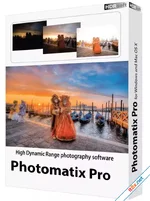
Photomatix Pro 7 is the definitive solution for high-contrast photography, allowing you to merge multiple exposures into a single, detail-rich HDR image. Whether you are a real estate photographer needing to balance indoor and window light, or a landscape artist capturing a sunrise, Photomatix Pro provides the precision tools to recover highlights and shadows that a single exposure simply cannot grasp. With its new 32-bit DNG workflow and interactive batch processing, Version 7 is engineered for maximum productivity and creative freedom.
Dynamic Styles: From Natural to Surreal
Photomatix Pro 7 offers six distinct HDR rendering styles, including the acclaimed Tone Balancer for realistic, natural-looking results and Details Enhancer for more painterly or surreal effects. For those who prefer a subtler touch, the Exposure Fusion (Exposure Blending) mode merges photos without the typical HDR look, maintaining a traditional photographic feel while maximizing dynamic range. The software includes over 40 professionally crafted presets to get you started instantly.New in Version 7: Interactive Batch and 32-bit DNG
Version 7 introduces game-changing features for professional workflows:- Batch with Preview: No more blind batching. This interactive feature lets you see a preview of every HDR merge in your queue. You can apply different presets or fine-tune settings for individual photo sets before the batch begins.
- 32-bit DNG Output: You can now save your merged HDR images as 32-bit DNG files. This preserves the full range of data, allowing you to perform your final color grading in Lightroom or Photoshop with the highest possible fidelity.
- Save Ghost Removal Selections: Mark an area for deghosting once and save the mask. This is a massive time-saver if you need to re-process the same bracketed set later or apply the same deghosting logic to a batch.
Professional Alignment and Deghosting
Shooting without a tripod? Photomatix Pro 7 features world-class Automatic Alignment to correct for camera shake between exposures. If your scene contains moving subjects (people, cars, or swaying trees), the Selective Deghosting Tool allows you to manually or automatically remove "ghost" artifacts, ensuring a clean, sharp final image. For real estate pros, the software also includes dedicated tools to correct perspective distortion and straighten horizons.Key Feature Highlights
- HDR Merging: Combine unlimited bracketed exposures for extreme dynamic range.
- 32-bit DNG Support: Seamlessly integrate with Adobe workflows for professional editing.
- Selective Deghosting: Manually paint out moving objects with saved mask support.
- Batch Drag & Drop: Start massive processing jobs simply by dragging folders into the app.
- Custom Watermarking: Protect your work with a new tool for text font, size, and layout.
- Real Estate Optimization: Specialized presets and distortion correction for interiors.
- Noise & Aberration Reduction: High-quality pre-processing to clean up raw sensor data.
Photomatix Pro 7: Đỉnh Cao Xử Lý Ảnh HDR Chuyên Nghiệp
Photomatix Pro 7 là phần mềm tiên phong trong việc tạo ảnh HDR (High Dynamic Range), giúp bạn kết hợp nhiều bức ảnh ở các mức phơi sáng khác nhau thành một tác phẩm duy nhất với chi tiết cực kỳ sắc nét ở cả vùng tối và vùng sáng. Phiên bản 7 mang đến những cải tiến đột phá như xem trước khi xử lý hàng loạt và hỗ trợ xuất file DNG 32-bit, biến đây thành công cụ không thể thiếu cho các nhiếp ảnh gia bất động sản, phong cảnh và kiến trúc trong năm 2026.Tính Năng Nổi Bật
- Batch With Preview: Tính năng tương tác mới cho phép bạn xem trước và điều chỉnh từng bộ ảnh trong hàng đợi trước khi bắt đầu xử lý hàng loạt.
- Hỗ Trợ DNG 32-bit: Xuất file HDR sang định dạng DNG chất lượng cao nhất để tiếp tục hậu kỳ chuyên sâu trong Lightroom hoặc Photoshop.
- Loại Bỏ Bóng Ma (Deghosting): Công cụ chọn lọc vùng loại bỏ bóng ma thông minh, cho phép lưu lại vùng đã chọn để sử dụng cho các lần sau hoặc xử lý hàng loạt.
- Căn Chỉnh Ảnh Tự Động: Xử lý hoàn hảo các bộ ảnh chụp tay không dùng chân máy nhờ thuật toán căn chỉnh chính xác.
- Hơn 40 Preset Chuyên Nghiệp: Đạt được kết quả mong muốn chỉ với một cú nhấp chuột, từ phong cách tự nhiên (Natural) đến nghệ thuật (Surreal).
- Đóng Dấu Bản Quyền (Watermark): Công cụ chèn chữ mới với đầy đủ tùy chọn về font chữ, kích thước và vị trí để bảo vệ tác quyền ảnh.
- Tối Ưu Cho Bất Động Sản: Các tính năng sửa méo ảnh và cân bằng ánh sáng cửa sổ giúp việc chụp nội thất trở nên dễ dàng hơn bao giờ hết.
 Download: app.box.com
-
- Từ khóa
- chỉnh sửa ảnh
VueScan Pro
9.8.52
Screenpresso Pro
2.2.2