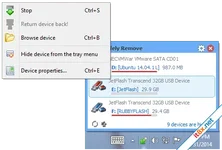
USB Safely Remove is a premium utility designed for the effortless and speedy disconnection of any removable devices. While it is built to save you time, its primary mission is to ensure that all your data remains intact and corruption-free when a device is unplugged. This system utility provides a faster, more reliable, and feature-rich alternative to the standard "Safely Remove Hardware" icon in the Windows system tray.
Superior Convenience and Control
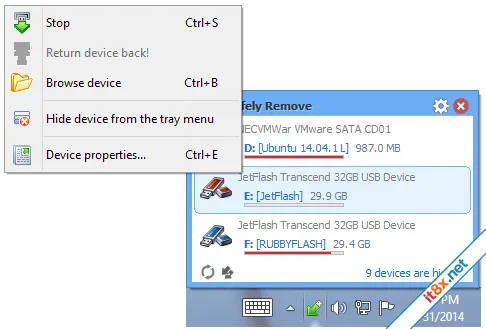
Managing multiple external devices has never been easier. You can safely stop hardware via a highly customizable menu or through global hotkeys for instant action. To keep your interface clean, the program allows you to hide unneeded devices, rename them, or assign custom icons. A standout feature is the "Return Device" function: if you stop a device accidentally, you can bring it back online with a single click without having to physically re-plug it.Advanced Data and Device Protection
One of the most common frustrations is when Windows refuses to let go of a drive. USB Safely Remove identifies the exact "locking processes" that are preventing a safe disconnection. It allows you to close those processes or forcibly stop the device to avoid data loss from incorrect removal. Furthermore, the program can completely power off devices, ensuring that your hardware is not just logically disconnected but also electrically safe before you pull it out.Workflow Automation and Speed
For power users and IT professionals, USB Safely Remove offers a powerful command-line tool that can be integrated into scripts. The built-in autorun manager can be configured to automate daily tasks, such as triggering a backup to an external drive the moment it is connected or running a virus scan. This level of automation transforms a simple removal tool into a key part of your system maintenance routine.Smart Drive Letter Management
Tired of a cluttered "My Computer" view? This utility automatically hides drive letters for unused card reader slots, keeping your list clean. You can also "lock" specific drive letters to certain devices, ensuring your backup software always finds the right path. Additionally, you can forbid specific letters from being assigned to external drives to prevent conflicts with network drives or third-party software.Key Feature Highlights
- One-Click/Hotkey Stop: The fastest way to disconnect any USB, SATA, or FireWire device.
- Locking Process Identification: See exactly what is preventing a safe removal and fix it.
- Device Power Off: Ensures the device is electrically powered down in Windows.
- Return Device Back: Re-activate a stopped device instantly with one click.
- Drive Letter Fixer: Assign permanent letters to specific external drives.
- Command Line Support: Automate your hardware management through scripts.
The Verdict: USB Safely Remove is the gold standard for external device management. It eliminates the "Device is busy" guesswork and provides a much more robust, automated experience than the default Windows tools.
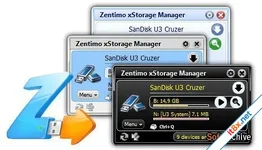
Zentimo xStorage Manager
3.3.1.1303
🗂️ Tệp đính kèm