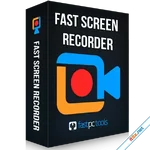
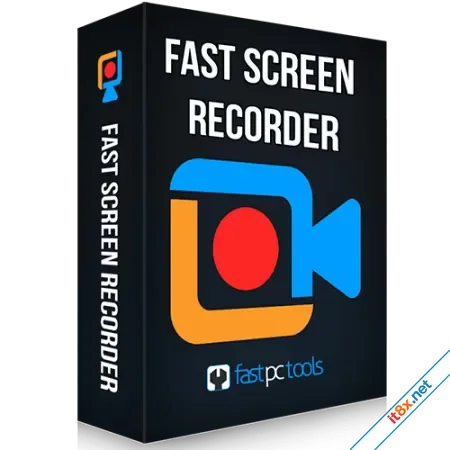
Fast Screen Recorder is a lightweight yet powerful application that allows you to capture every moment on your PC. Whether you are hosting online conferences, attending virtual meetings, creating software tutorials, or capturing high-octane gaming highlights, this tool provides a seamless experience. It offers the flexibility to record video and audio simultaneously, or focus on just one, with full control over system sounds and microphone input.
Download: www.mediafire.com
Flexible Capture and Audio Control
Tailor your recording to fit your specific needs by selecting any screen area. You can opt for a full-screen capture or define a custom region to keep the focus on specific content. For educators and presenters, the built-in microphone toggle is essential, allowing you to narrate your actions in real-time. Additionally, the software serves as a dedicated audio recorder, enabling you to capture lectures, music, or podcasts directly into high-quality MP3 files.Smart Automation and Optimization
One of the standout features of Fast Screen Recorder is the Auto Stop functionality. You can define a specific duration for your session, allowing the software to finish the task automatically while you step away from your desk. Performance is never compromised; the application includes an auto-optimization engine that manages system memory to ensure your recorded videos have a small file size without any loss in visual quality.Professional, Watermark-Free Output
The registered version of Fast Screen Recorder removes all limitations, offering a truly professional experience. You can record unlimited videos of any length without an intrusive watermark, making your content ready for platforms like YouTube, LinkedIn, or corporate portals. After finishing a session, the "Play After Record" option gives you instant access to your file so you can review your work immediately.Advanced Customization and Settings
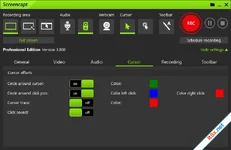
Fast Screen Recorder puts you in total control of the recording environment. You can hide mouse activity to create cleaner presentations, or disable the initial countdown if you prefer an instant start. The software also supports customizable shortcut keys, allowing you to define your own combinations for starting and stopping recordings, ensuring that the tool fits perfectly into your existing workflow.Key Feature Highlights
- Custom Area Selection: Choose between full-screen or a specific window/region.
- Microphone Integration: Easily record voiceovers for tutorials and walkthroughs.
- Dedicated Audio Mode: Capture system audio or mic input as standalone MP3s.
- Timer Recording: Set a defined time for the software to stop recording automatically.
- Zero Watermarks: Create clean, professional-grade videos for any purpose.
- Hotkey Management: Change or reset keyboard shortcuts for faster operation.
The Verdict: Fast Screen Recorder is an excellent choice for users who need a fast, no-nonsense tool for daily screen capture. Its balance of automation features and optimized file output makes it a reliable companion for both work and play.
Download: www.mediafire.com
-
- Từ khóa
- máy tính
Ashampoo Burning Studio 2026
1.27.1

4K YouTube to MP3
26.0.2
Sửa bởi :