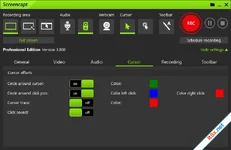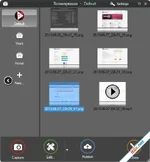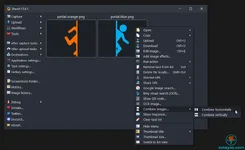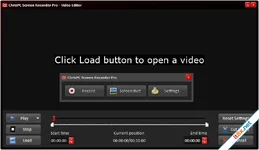
ChrisPC Screen Recorder is the essential "toolbox" software for your desktop, designed to record your screen quietly and with professional-grade options. It serves as the perfect fallback solution when traditional video downloaders fail due to digital protection. Whether you are a "computer geek" needing to archive protected streams, a professional creating reusable tutorials for colleagues, or a student documenting research, ChrisPC Screen Recorder simplifies your digital life with a single click.
Versatile Recording Modes and Gameplay Support
Flexibility is at the heart of ChrisPC Screen Recorder. You can choose from three distinct recording modes: capture your entire desktop, a specific selected area, or target a single application window. For gamers, the software supports recording in both windowed and borderless modes, ensuring your high-score moments are captured smoothly. You have total control over technical specifications, including adjustable frame rates (up to 60 FPS) and high-quality H.264 MP4 encoding to balance file size and visual clarity.Custom Branding and Post-Capture Editing
Professionalize your content by adding custom watermarks directly during the recording process. You can choose to overlay text—customizing the font, size, and colors—or use a PNG/JPG image logo for a branded look. Once the recording is finished, the built-in editor allows you to trim out unwanted parts from the beginning or end of your clip. This ensures that the final version shared with your family, friends, or employees is concise and focused on the key information.Integrated Screenshot and Management Tools
Beyond video, ChrisPC Screen Recorder is a powerful snapshot tool. You can capture high-quality screenshots in PNG, JPG, or BMP formats across the same three modes (Fullscreen, Area, or Window). To keep your files organized, the software features an automated naming system based on the exact date and time of the capture. With a skinnable interface, fast hotkey configurations, and the ability to minimize to the system tray, it stays out of your way until you need it.Key Feature Highlights
- 1-Click MP4 Recording: Capture screen and audio instantly into universally compatible files.
- Custom FPS Selection: Optimize for your PC with settings ranging from 1 to 60 FPS.
- Watermark Support: Protect your content with text or image overlays (PNG/JPG).
- Basic Video Editing: Quickly trim the start and end of your recordings within the app.
- Advanced Audio/Video Codecs: High-efficiency H.264 video and AAC/MP3 audio.
- Systray Mode: Keep the recorder hidden while maintaining quick access via hotkeys.
ChrisPC Screen Recorder: Công Cụ Quay Màn Hình Đa Năng Và Nhẹ Nhàng
ChrisPC Screen Recorder là giải pháp hoàn hảo để ghi lại mọi hoạt động trên màn hình máy tính của bạn, đặc biệt hiệu quả khi các trình tải video thông thường không thể tải được do vấn đề bảo vệ bản quyền. Phần mềm này giúp cuộc sống kỹ thuật số của bạn trở nên đơn giản hơn, từ việc tạo video hướng dẫn cho đồng nghiệp, ghi lại các bài giảng trực tuyến đến việc lưu giữ những khoảnh khắc chơi game ấn tượng.Tính Năng Nổi Bật
- 3 Chế Độ Quay Linh Hoạt: Quay toàn màn hình, một vùng tự chọn hoặc chỉ một cửa sổ ứng dụng cụ thể.
- Chất Lượng Video Cao: Hỗ trợ định dạng H.264 MP4 với tốc độ khung hình lên đến 60 FPS, đảm bảo video mượt mà và sắc nét.
- Đóng Dấu Bản Quyền (Watermark): Dễ dàng chèn logo hình ảnh hoặc văn bản tùy chỉnh để bảo vệ nội dung video của bạn.
- Chỉnh Sửa Nhanh: Cho phép cắt bỏ các đoạn thừa ở đầu và cuối video ngay sau khi vừa quay xong.
- Chụp Ảnh Màn Hình Chuyên Nghiệp: Chụp ảnh chất lượng cao và lưu dưới định dạng PNG, JPG hoặc BMP với hệ thống đặt tên file tự động theo thời gian.
- Giao Diện Thân Thiện: Hỗ trợ cấu hình phím tắt nhanh và có thể thu nhỏ xuống khay hệ thống để tiết kiệm diện tích màn hình.
The Verdict: ChrisPC Screen Recorder là một "hộp công cụ" không thể thiếu cho người dùng Windows. Sự kết hợp giữa tính năng quay màn hình, chụp ảnh và khả năng vượt qua các lớp bảo vệ video khiến nó trở thành một trợ thủ đắc lực cho công việc và giải trí.
Download: www.mediafire.com
TechSmith Snagit
26.0.1.9849
EdrawMax Ultimate
15.1.4.1481