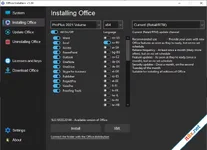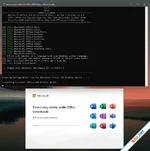
This small Script will download and install the Microsoft Office 365 Professional Plus including all the updates directly from the Microsoft CDN Server.
Includes
Word, Excel, PowerPoint, Outlook, OneNote, Publisher, Access, Visio, Project, ProofingTools, OneDrive Desktop.
How to use ?
Extract folder from the downloaded Archive file.
Start the file "Office 365 Setup.cmd".
Toggle your Office options and press X.
Run the KMS Activation Script.
System Requirements
Windows 10/11 x86 (32-bit)
Windows 10/11 x64 (64-bit)
-----
Script nhỏ này sẽ tải xuống và cài đặt Microsoft Office 365 Professional Plus, bao gồm tất cả các bản cập nhật trực tiếp từ máy chủ CDN của Microsoft.
Bao gồm các ứng dụng: Word, Excel, PowerPoint, Outlook, OneNote, Publisher, Access, Visio, Project,
ProofingTools, OneDrive Desktop
Cách sử dụng:
- Giải nén thư mục từ tệp nén đã tải về.
- Chạy file "Office 365 Setup.cmd".
- Tùy chỉnh các tùy chọn Office của bạn rồi nhấn X.
- Chạy Script kích hoạt KMS.
- Windows 10/11 bản x86 (32-bit)
- Windows 10/11 bản x64 (64-bit)
Atlantis Word Processor
5.0.2.0

🗂️ Tệp đính kèm
Sửa lần cuối: