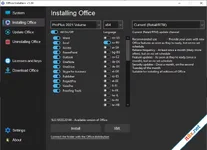
Office C2R Installer is a versatile utility designed for both online and offline installation of Microsoft Office 2016 through 2024 (Click-to-Run). This tool provides users with the flexibility to customize their Office suite, selecting only the necessary components to save disk space. Additionally, it offers the ability to create a custom Office distribution, allowing for seamless offline deployments on multiple machines without requiring an active internet connection.
Customized Installation and Deployment
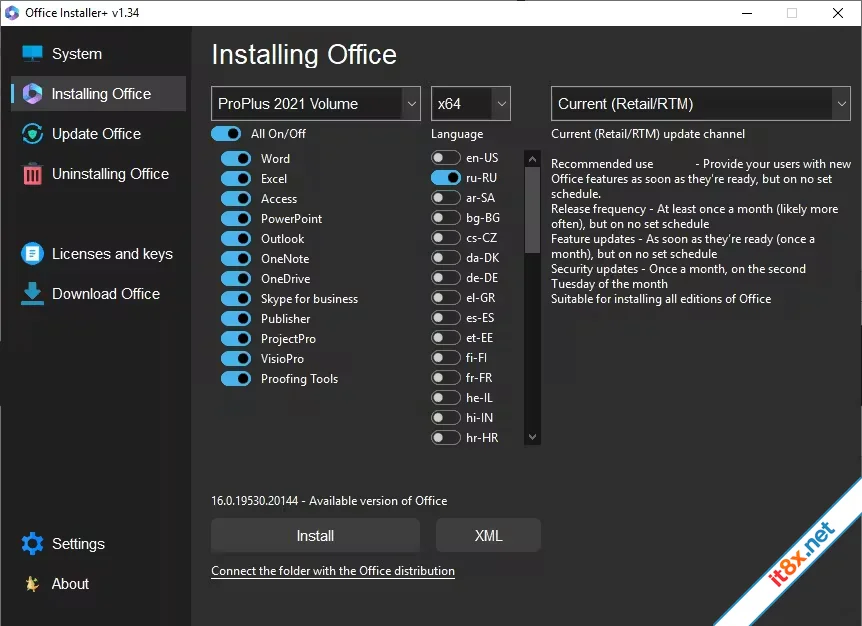
The program streamlines the process of managing Office versions. Whether you need the latest Office 2024 features or the stability of Office 2016, the installer allows you to toggle specific apps like Word, Excel, PowerPoint, or Outlook. Its standout feature is the distribution creator, which downloads the necessary files to a local folder, making it an essential tool for system administrators and power users who need to perform clean installs in environments with limited connectivity.Optimized Workflow and Clean Removal
To ensure a successful installation, the utility includes built-in maintenance tools to resolve conflicts with previous Office versions. By following a structured workflow, users can avoid common setup errors and registry fragments that often plague standard installers. The interface is designed for simplicity, providing direct access to uninstallation and installation modules in a single window.Step-by-Step Usage Guide
For the most stable results, it is recommended to follow these three essential steps:- Standard Uninstall: Use the "Uninstall Office" button to remove existing Office C2R versions through the system's standard procedure.
- Deep Clean: Utilize the "Force Remove Office" feature to eliminate stubborn registry entries and leftover files, then restart your computer to finalize the cleanup.
- Fresh Install: Click the "Install" button to deploy your customized Office suite using your pre-configured settings.
Key Feature Highlights
- Wide Compatibility: Supports all versions from Office 2016 to Office 2024.
- Offline Distribution: Download and create local installers for future use.
- Selective App Install: Choose only the specific Office apps you need (Word, Excel, etc.).
- Force Removal Tool: Cleans up corrupted installations that cannot be removed via Control Panel.
- Architecture Selection: Easily switch between x86 and x64 versions based on your system requirements.
The Verdict: Office C2R Installer is the go-to solution for anyone looking to bypass the bulky default Office setup. Its ability to clean the system thoroughly before a fresh, customized installation makes it a reliable and time-saving utility.

Wondershare PDFelement Professional
12.1.12.4034
🗂️ Tệp đính kèm
Sửa bởi :