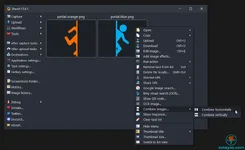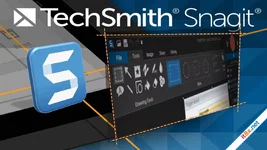
Snagit is the premium screen capture and recording software trusted by over 40 million people worldwide. Unlike basic built-in tools, Snagit offers a professional-grade feature set designed to help you work smarter and communicate with absolute clarity. Whether you are creating detailed technical tutorials, providing feedback on a design, or documenting a complex process, Snagit provides the tools to capture, edit, and organize your visual content effortlessly.
Advanced Capture Capabilities
Snagit goes far beyond simple screenshots. With its powerful Scrolling Capture, you can take full-page images of long websites or scrolling chat windows that other tools miss. The Capture Window is fully customizable, allowing you to record high-quality video of your screen and camera simultaneously, along with system and microphone audio. You can even create custom presets and keyboard shortcuts to trigger your most-used capture settings in an instant.The Magic of Intelligent Editing
The built-in editor is where Snagit truly shines. The Smart Move feature automatically recognizes UI elements in your screenshot, giving you the ability to rearrange buttons or remove menus as if you were in the original design software. With Text Recognition (OCR), you can magically edit the text within a static image or scanned document, changing its font, size, and color. For technical writers, the "Simplify UI" tool transforms busy screenshots into clean, professional Simplified User Interface (SUI) graphics with a single click.Effortless Organization and Syncing
Keep your creative assets organized with the integrated Snagit Library. You can filter and sort your captures by date, file type, or the specific application they were captured from. To ensure your work is always accessible, Snagit supports seamless syncing with Google Drive, OneDrive, and other cloud services. By tagging your images and videos, you can turn a chaotic folder of screenshots into a searchable, professional database of visual information.Key Feature Highlights
- Panoramic Scrolling Capture: Capture infinite scrolling pages with perfect alignment.
- Smart Move & Object Recognition: Rearrange elements directly within your screenshots.
- Text Edit & OCR: Extract and edit text from any image or screen region.
- Video & Audio Recording: Capture your screen, webcam, and audio for quick tutorials.
- Simplify UI Tool: Automatically mask sensitive or distracting data into clean graphics.
- Cloud Integration: Auto-sync your library to OneDrive, Google Drive, or Dropbox.
Snagit: Phần Mềm Chụp Ảnh Và Quay Màn Hình Chuyên Nghiệp Nhất
Snagit là giải pháp chụp ảnh và quay phim màn hình hàng đầu thế giới với hơn 40 triệu người tin dùng. Thay vì sử dụng các công cụ có sẵn sơ sài, Snagit mang đến một hệ thống tính năng cao cấp giúp bạn giao dịch hình ảnh và thông tin một cách rõ ràng, chuyên nghiệp. Từ việc chụp toàn bộ trang web dài đến việc quay video hướng dẫn kèm webcam, Snagit đáp ứng mọi nhu cầu của người dùng văn phòng và chuyên gia CNTT.Tính Năng Nổi Bật
- Chụp Ảnh Cuộn (Scrolling Capture): Dễ dàng chụp lại các trang web dài hoặc tài liệu cuộn mà các công cụ thông thường không làm được.
- Chỉnh Sửa Thông Minh (Smart Move): Tự động nhận diện các nút, menu trong ảnh chụp để bạn có thể di chuyển hoặc xóa chúng như trong Photoshop.
- Nhận Diện Văn Bản (OCR): Trích xuất và chỉnh sửa trực tiếp nội dung văn bản ngay trên ảnh chụp màn hình.
- Đơn Giản Hóa Giao Diện (Simplify UI): Biến các ảnh chụp phức tạp thành đồ họa SUI chuyên nghiệp chỉ với một cú nhấp chuột.
- Thư Viện Đồng Bộ Hóa: Tự động sắp xếp ảnh theo ngày, ứng dụng và đồng bộ hóa trực tiếp lên Google Drive hoặc OneDrive.
- Công Cụ Đánh Dấu (Markup): Bộ công cụ vẽ mũi tên, đánh số thứ tự và chú thích cực kỳ đẹp mắt và chuyên nghiệp.
The Verdict: Snagit không chỉ là phần mềm chụp ảnh màn hình; nó là một công cụ truyền thông thị giác mạnh mẽ. Khả năng chỉnh sửa văn bản trong ảnh và sắp xếp thư viện thông minh khiến nó trở thành phần mềm không thể thiếu cho bất kỳ ai làm việc trong môi trường kỹ thuật số.
Download: www.mediafire.com

ZebraDesigner for Developers
3.3.0.97
ChrisPC Screen Recorder Pro
2.26.0210.0