Acrobat DC with Document Cloud services is packed with all the tools you need to convert, edit and sign PDFs. It's just as mobile as you are. So you can start a document at work, tweak it on the train and send it for approval from your living room - seamlessly, simply, without missing a beat.
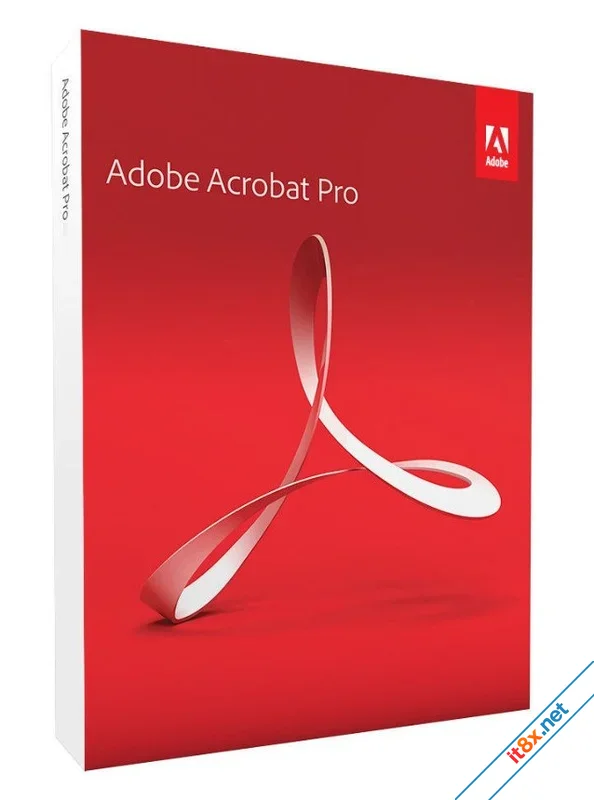
It's packed with smart tools that give you even more power to communicate. Create and edit PDF files with rich media included, share information more securely, and gather feedback more efficiently. Adobe Acrobat Pro DC software is the advanced way for business professionals to create, combine, control, and deliver more secure, high-quality Adobe PDF documents for easy distribution, collaboration, and data collection.
Download: Direct
It's packed with smart tools that give you even more power to communicate. Create and edit PDF files with rich media included, share information more securely, and gather feedback more efficiently. Adobe Acrobat Pro DC software is the advanced way for business professionals to create, combine, control, and deliver more secure, high-quality Adobe PDF documents for easy distribution, collaboration, and data collection.
Edit PDF Files
With Adobe Acrobat Pro DC, you can make minor edits to text and images right in your PDF file without requiring the original document or graphic.- Edit text in a PDF: Fix a typo, change a font, or add a paragraph to your PDF as easily as you do in other applications using a new point-and-click interface.
- Edit images in a PDF: Resize, replace, and adjust images in your PDF with no need to track down the original file or graphic.
Export from PDF Files
Reduce the time you spend retyping information stuck in PDF files. Convert PDF files to editable Microsoft Office documents while saving fonts and formatting.- Convert PDF to Word: Save your PDF as a Microsoft Word document and take your fonts, formatting, and layouts with you.
- Convert PDF to Excel: Turn your PDF or just part of it into an editable Excel spreadsheet for immediate data analysis.
- Convert PDF to PowerPoint: Get a head start on new projects by saving a PDF file as a fully editable PowerPoint presentation.
Create PDF Files
Stop worrying about whether the files you send will look right on other people's screens. Turn documents into PDF files anyone can reliably view with free Adobe Reader.- Office to PDF: Right from your Office application in Windows, you can create PDFs, start a shared review, and restrict edits.
- Print to PDF: Convert files to PDF from virtually any application that prints simply by selecting Adobe PDF as your printer.
- Scan to PDF: Turn paper documents or forms into digital, searchable PDF files that you can edit.
- HTML to PDF: Save web pages as PDF files to archive content, review pages offline, or print them more reliably.
Create and Analyze Forms
Cut the time you spend creating forms, rekeying data, and correcting errors. Distribute forms online, then collect responses and analyze results in real time.- Design New Forms: Customize professional templates or design from scratch with the Adobe FormsCentral desktop app.
- Collect Responses: Easily collect responses by moving your PDF or web forms online with the Adobe FormsCentral online service.
- Convert Existing Forms: Quickly convert your paper, Word, or Excel forms to fillable PDF forms.
Merge and Combine Files
- Single PDF Attachments: Put multiple files into a single, organized PDF that's easy to email and simple to search.
- PDF Portfolios: Share your work in a professional PDF Portfolio with an interactive impact.
- Interactive Content: Bring ideas to life by adding audio, Adobe Flash Player compatible video, and interactive media.
Simplify Reviews and Approvals
Automate review and approval cycles. Multiple reviewers can see and build on each other's comments so you can meet your deadline.- Streamline Reviews: People can annotate PDFs with familiar tools. You can track progress and consolidate comments.
- Electronic Signatures: E-sign your approval right on the PDF. No need to print, fax, or mail the document.
- SharePoint Integration: Retrieve, open, and save PDFs stored on your company's SharePoint server conveniently.
- Compare Versions: Let Acrobat do the hard work of comparing two versions of a file and providing a detailed report.
Protect PDF Files
- Passwords and Permissions: Add copy and edit protection to any PDF—even right from Microsoft Office applications.
- Remove and Redact: Don't just black out confidential data. Find and get rid of it for good, including hidden metadata.
- Automate Security: Use a guided Action to help secure your PDF before publishing it the same way every time.
Cloud Storage: Use Acrobat.com to store your files in the cloud for free, accessing them from Acrobat or Reader on your desktop or mobile device.
Download: Direct
-
- Từ khóa
- adobe chỉnh sửa pdf pdf
PDF-XChange Pro
10.8.2.407
Readiris PDF
25.3.30.0
Sửa bởi :