- Lượt xem: 133
- Bình luận: 1
Readiris PDF is a powerful PDF centric Manager Software allowing from multiple different format' files input to compose, edit, annotate, split, sort, amend, compress, e-sign and share your own build secured single or multiple PDF files.
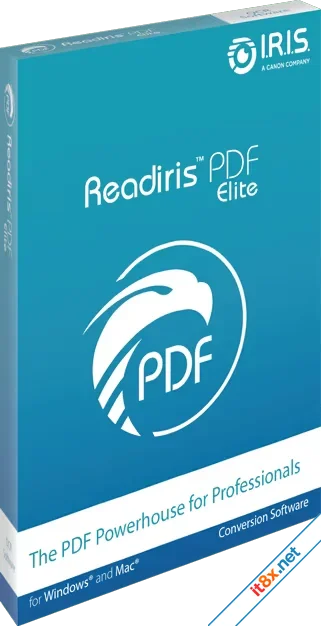
World Class PDF Manager
Readiris PDF is a powerful PDF centric Manager Software allowing from multiple different format' files input to compose, edit, annotate, split, sort, amend, compress, e-sign and share your own build secured single or multiple PDF files. Daily, you work with contracts, word document, JPG Files, Excel spreadsheets, blueprints, Tender project, Meeting minutes, Non-disclosure agreement, Employment agreement, Business plans, Online terms of use, Online privacy policy, apostille, receipts or even invoices and on top of you never succeed to settle a good compromise to handle the different file format type. Readiris PDF is then what you have been looking for!
Simply the best all-in-One Document, Files & PDF Manager. Whenever you need to CONVERT – CREATE – EDIT – SIGN – ANNOTATE – MANAGE – REVIEW – SHARE – PROTECT any document or file from any format from PDF file or into PDF file, just run Readiris PDF and boost your daily productivity! Readiris PDF helps you manage your large number of PDF & documents and perform any operations with all of them.
Convert to PDF format
Convenience and portability are a two-way street. When you're working with portable documents, it's important to be able to export existing PDFs into the format of your choice. But it's equally important to be able to capture all of your company's crucial file types and documents and convert them into PDF format as well.
JPG to PDF
Images add excitement and contrast to your documents and presentations. The Readiris PDF suite makes it easy to grab image of your choice and transform it wherever it's needed onto PDF format. Whether your company's next white paper needs a splash of color or your quarterly earnings report needs an engaging cover page, Readiris PDF makes it easy to work with high-quality images across channels to enhance your own documents.
Word to PDF
Microsoft Word, the core of the Office 365 suite, drives the world of business documentation. The vast majority of documents used by professionals across the globe originate in Word. Readiris PDF makes it simple to convert your existing Word documents into PDF format and disseminate them throughout your organization while preserving original document layout.
Excel to PDF
Word documents make the business world go round, but they don't do it alone. Excel spreadsheets serve a critical function for financial professionals worldwide. With Readiris PDF, you can easily export key spreadsheets into PDF format that drive your bottom line.
Powerpoint to PDF
When your workforce thrives, your company thrives. Employee education lies at the center of your success. PowerPoint presentations play a key role in getting all your employees on the same page. With Readiris's PDF management software, it's easy to spread your company's ideology, values, and trajectory to every corner of your business under PDF for an easiest, lighter & faster sharing.
Text to PDF
Word pad and other text pad applications give users a format-free method for word processing. Readiris PDF's suite of features lets you preserve your content, clear from any tricky formatting issues under PDF format that might prevent the recipient from understanding it.
PDF Editing Tools
The PDF has become a staple of the modern business world due to its transferability across platforms and operating systems. It provides the user with a common format that's readable across any professional context.
PDF Editor Text
Readiris's PDF text editor adds a new level of utility to your company's PDF use. Is your document missing essential information? Would it benefit from a content revision for clarity's sake? The Readiris platform allows you to easily add, delete, or edit sections of text directly on the existing PDF document without the complexity or additional effort that other methods require.
PDF Stamps and Markup
Transferable documents are living documents; they change and evolve over time to match your business's needs. PDF stamps and other markup tools are the perfect way to adapt a document to your purpose.
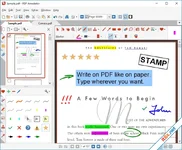
Readiris allows the user to quickly and easily add various stamp overlays directly onto their PDF documents.
Examples of PDF stamps include tags such as
- Sign here
- Paid
- Approved
- Declined
- Confidential information
PDF Notes, Sticky Notes, and Comments
PDFs are an important way of disseminating critical information between key stakeholders within your organization. In many cases, it's useful to comment on the information contained in a PDF document without permanently altering the document itself. PDF notes and comments are a type of markup tool which allows you to add informative metadata to your document without changing the fundamental PDF.
PDF Redact
Business can be sensitive in nature. What happens if you receive a document containing critical data coupled with identifying information like names, addresses, or contact info? PDF redaction gives you a way to eliminate sensitive information while maintaining the integrity of the source document.
Converting Your PDFs with Readiris PDF
Business needs change. The flow of information is critical to the success of your business. Whether it's converting PDF to Word, or compressing a PDF file into a manageable size, Readiris PDF gives you the necessary control, agility, and leverage over your business-critical documents. Test it today and see how easy it is to manage the flow of your company's crucial documents.
Managing and Sharing PDF Files
The PDF format is prized for its adaptability. The PDF's core purpose is to make key business documents easily transferable between users. Modern PDF management software Readiris PDF makes your PDF much more manageable in the process than any of Readiris PDF’s competitors who are using complex workarounds to manage and share PDF files.. Readiris PDF allows you to take the following actions regarding your PDF files
Merging PDF
When you are dealing with numerous documents, converting each into PDF format and sending them individually can turn into a lengthy and slow process. Readiris PDF allows you to merge multiple PDF and any office 365 files into a single transferable PDF file, providing you with an organized attachment that can be sent wherever you need.
Split PDF
Sometimes a PDF attachment is so large that it's hard to accurately sift through the information. Readiris's split PDF function allows you to extract pages, sections, or entire documents from the source PDF, creating a more manageable sub-file in the process.
Combine PDF
Combining PDF is similar to merging them. With a merge, however, entire documents are sandwiched together for expediency. With PDF combination, documents are seamlessly integrated with one another. Combination is the perfect solution when you have companion documents whose content is thematically linked.
Share PDF in Outlook
Hundreds of thousands of documents are sent via email every single day. Microsoft Outlook is one of the biggest professional email services in the world. Readiris PDF now integrates with MS Outlook allowing you to directly email from Readiris PDF your stack of documents or PDF’s to your preferred recipient.
Scan and OCR Capabilities
Being the best PDF and OCR solution on the market means providing your customers with top-tier scanning and Optical Character Recognition (OCR) software. Readiris PDF’ management software offers customers a feature-rich OCR suite capable of scanning and converting any document imaginable. With Readiris PDF and enhanced OCR engine you can
Scanning From the scanners
The road from hardcopy document to transferable digital file begins with the scanner. A scanner allows you to convert real-world, hardcopy documents into a digital file on your device. With Readiris PDF, you can easily convert your scans into PDF format or other format you would need without all the extra steps required by native software. Readiris PDF seamlessly integrates with your scanner's functionality to make PDF production a snap.
Scanning from Files
Readiris's powerful OCR (Optical character recognition) engine doesn't just work with your scanner; it is also capable of taking previously saved data from your device, capturing the essential elements of the file, and converting your existing data into PDF searchable format or other format you would need. From there, it's easy to edit, re-purpose, and send your documents where they are needed the most.
Enhanced OCR Engine
Readiris has over 30 years of experience in the OCR arena. With every build of our Readiris software, we are continually working to improve the functionality of our software, expand its list of integrations, and make our OCR one of the most powerful scanning tools available today on the market. Readiris OCR Technology is trust by large IT companies around the world and millions of end-users.
System Requirements
- Operating System: Windows 10 and higher, 64-bit
- Processor: 1.2 GHz processor or higher
- Memory: 4 GB RAM or higher
- Available hard drive space: 5 GB or higher
Download: Direct
World Class PDF Manager
Readiris PDF is a powerful PDF centric Manager Software allowing from multiple different format' files input to compose, edit, annotate, split, sort, amend, compress, e-sign and share your own build secured single or multiple PDF files. Daily, you work with contracts, word document, JPG Files, Excel spreadsheets, blueprints, Tender project, Meeting minutes, Non-disclosure agreement, Employment agreement, Business plans, Online terms of use, Online privacy policy, apostille, receipts or even invoices and on top of you never succeed to settle a good compromise to handle the different file format type. Readiris PDF is then what you have been looking for!
Simply the best all-in-One Document, Files & PDF Manager. Whenever you need to CONVERT – CREATE – EDIT – SIGN – ANNOTATE – MANAGE – REVIEW – SHARE – PROTECT any document or file from any format from PDF file or into PDF file, just run Readiris PDF and boost your daily productivity! Readiris PDF helps you manage your large number of PDF & documents and perform any operations with all of them.
Convert to PDF format
Convenience and portability are a two-way street. When you're working with portable documents, it's important to be able to export existing PDFs into the format of your choice. But it's equally important to be able to capture all of your company's crucial file types and documents and convert them into PDF format as well.
JPG to PDF
Images add excitement and contrast to your documents and presentations. The Readiris PDF suite makes it easy to grab image of your choice and transform it wherever it's needed onto PDF format. Whether your company's next white paper needs a splash of color or your quarterly earnings report needs an engaging cover page, Readiris PDF makes it easy to work with high-quality images across channels to enhance your own documents.
Word to PDF
Microsoft Word, the core of the Office 365 suite, drives the world of business documentation. The vast majority of documents used by professionals across the globe originate in Word. Readiris PDF makes it simple to convert your existing Word documents into PDF format and disseminate them throughout your organization while preserving original document layout.
Excel to PDF
Word documents make the business world go round, but they don't do it alone. Excel spreadsheets serve a critical function for financial professionals worldwide. With Readiris PDF, you can easily export key spreadsheets into PDF format that drive your bottom line.
Powerpoint to PDF
When your workforce thrives, your company thrives. Employee education lies at the center of your success. PowerPoint presentations play a key role in getting all your employees on the same page. With Readiris's PDF management software, it's easy to spread your company's ideology, values, and trajectory to every corner of your business under PDF for an easiest, lighter & faster sharing.
Text to PDF
Word pad and other text pad applications give users a format-free method for word processing. Readiris PDF's suite of features lets you preserve your content, clear from any tricky formatting issues under PDF format that might prevent the recipient from understanding it.
PDF Editing Tools
The PDF has become a staple of the modern business world due to its transferability across platforms and operating systems. It provides the user with a common format that's readable across any professional context.
PDF Editor Text
Readiris's PDF text editor adds a new level of utility to your company's PDF use. Is your document missing essential information? Would it benefit from a content revision for clarity's sake? The Readiris platform allows you to easily add, delete, or edit sections of text directly on the existing PDF document without the complexity or additional effort that other methods require.
PDF Stamps and Markup
Transferable documents are living documents; they change and evolve over time to match your business's needs. PDF stamps and other markup tools are the perfect way to adapt a document to your purpose.
Readiris allows the user to quickly and easily add various stamp overlays directly onto their PDF documents.
Examples of PDF stamps include tags such as
- Sign here
- Paid
- Approved
- Declined
- Confidential information
PDF Notes, Sticky Notes, and Comments
PDFs are an important way of disseminating critical information between key stakeholders within your organization. In many cases, it's useful to comment on the information contained in a PDF document without permanently altering the document itself. PDF notes and comments are a type of markup tool which allows you to add informative metadata to your document without changing the fundamental PDF.
PDF Redact
Business can be sensitive in nature. What happens if you receive a document containing critical data coupled with identifying information like names, addresses, or contact info? PDF redaction gives you a way to eliminate sensitive information while maintaining the integrity of the source document.
Converting Your PDFs with Readiris PDF
Business needs change. The flow of information is critical to the success of your business. Whether it's converting PDF to Word, or compressing a PDF file into a manageable size, Readiris PDF gives you the necessary control, agility, and leverage over your business-critical documents. Test it today and see how easy it is to manage the flow of your company's crucial documents.
Managing and Sharing PDF Files
The PDF format is prized for its adaptability. The PDF's core purpose is to make key business documents easily transferable between users. Modern PDF management software Readiris PDF makes your PDF much more manageable in the process than any of Readiris PDF’s competitors who are using complex workarounds to manage and share PDF files.. Readiris PDF allows you to take the following actions regarding your PDF files
Merging PDF
When you are dealing with numerous documents, converting each into PDF format and sending them individually can turn into a lengthy and slow process. Readiris PDF allows you to merge multiple PDF and any office 365 files into a single transferable PDF file, providing you with an organized attachment that can be sent wherever you need.
Split PDF
Sometimes a PDF attachment is so large that it's hard to accurately sift through the information. Readiris's split PDF function allows you to extract pages, sections, or entire documents from the source PDF, creating a more manageable sub-file in the process.
Combine PDF
Combining PDF is similar to merging them. With a merge, however, entire documents are sandwiched together for expediency. With PDF combination, documents are seamlessly integrated with one another. Combination is the perfect solution when you have companion documents whose content is thematically linked.
Share PDF in Outlook
Hundreds of thousands of documents are sent via email every single day. Microsoft Outlook is one of the biggest professional email services in the world. Readiris PDF now integrates with MS Outlook allowing you to directly email from Readiris PDF your stack of documents or PDF’s to your preferred recipient.
Scan and OCR Capabilities
Being the best PDF and OCR solution on the market means providing your customers with top-tier scanning and Optical Character Recognition (OCR) software. Readiris PDF’ management software offers customers a feature-rich OCR suite capable of scanning and converting any document imaginable. With Readiris PDF and enhanced OCR engine you can
Scanning From the scanners
The road from hardcopy document to transferable digital file begins with the scanner. A scanner allows you to convert real-world, hardcopy documents into a digital file on your device. With Readiris PDF, you can easily convert your scans into PDF format or other format you would need without all the extra steps required by native software. Readiris PDF seamlessly integrates with your scanner's functionality to make PDF production a snap.
Scanning from Files
Readiris's powerful OCR (Optical character recognition) engine doesn't just work with your scanner; it is also capable of taking previously saved data from your device, capturing the essential elements of the file, and converting your existing data into PDF searchable format or other format you would need. From there, it's easy to edit, re-purpose, and send your documents where they are needed the most.
Enhanced OCR Engine
Readiris has over 30 years of experience in the OCR arena. With every build of our Readiris software, we are continually working to improve the functionality of our software, expand its list of integrations, and make our OCR one of the most powerful scanning tools available today on the market. Readiris OCR Technology is trust by large IT companies around the world and millions of end-users.
System Requirements
- Operating System: Windows 10 and higher, 64-bit
- Processor: 1.2 GHz processor or higher
- Memory: 4 GB RAM or higher
- Available hard drive space: 5 GB or higher
Download: Direct
-
- Từ khóa
- chỉnh sửa pdf pdf
Adobe Acrobat Pro DC
2025.001.21111
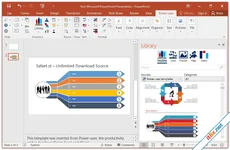
Power-user Premium
1.7.73.270