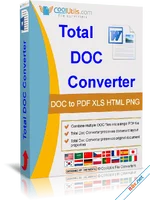
Total Doc Converter is a versatile and robust solution designed to transform Microsoft Word documents (Doc, DocX, DocM), RTF, TXT, and even RVF files into a wide array of formats, including PDF, HTML, XLS, JPG, TIFF, and Text. Whether you are dealing with a single file or a massive archive of thousands, this software ensures a seamless transition with high fidelity. Its transparent, user-friendly interface makes it accessible for beginners, while its deep system integration and command-line support cater to power users and IT professionals.
Superior Batch Processing and Workflow Integration
When efficiency is paramount, Total Doc Converter shines with its powerful Batch Conversion engine. You can convert hundreds or even thousands of documents in a single operation, significantly reducing manual labor. For even greater convenience, the software integrates directly into the Windows Context Menu. This allows you to right-click any document on your desktop and initiate a conversion instantly without even opening the main application window.Advanced Font Customization and Neat Output
The latest version introduces granular control over typography and layout. You can now define the output font name, size, and style (Bold, Underline, Italic, StrikeOut) to ensure your converted files meet specific branding or readability standards. The newly added WordWrap option gives you control over line behavior, while the Autosize feature ensures that both landscape and portrait documents fit perfectly onto the target page size every time.Automation for Professionals
Total Doc Converter is built for integration. With full Command Line support, administrators can trigger conversion processes from within other applications or via automated scripts. It supports modern formats like DocX (Word 2007-2024+) and specialized formats like RVF, making it a "Swiss Army knife" for document management. Whether you need an Excel spreadsheet from a text report or a high-quality TIFF from a Word manual, this tool delivers professional results.Key Feature Highlights
- Multi-Format Support: Convert Doc, DocX, RTF, RVF, and TXT to PDF, XLS, HTML, and Images.
- Shell Integration: Convert files directly from the Windows right-click menu.
- Command Line Pro: Automate your workflow via scripts and third-party apps.
- Batch Conversion: Process thousands of files simultaneously with high speed.
- Typography Control: Set custom font names, sizes, and styles for the output file.
- Autosize Layout: Smart adjustment for portrait/landscape pages to fit perfectly.
- WordWrap Toggle: Control text wrapping for perfectly neat document structures.
Total Doc Converter: Giải Pháp Chuyển Đổi Tài Liệu Word Sang PDF, Excel Và Ảnh
Total Doc Converter là công cụ mạnh mẽ giúp bạn giải quyết mọi vấn đề về chuyển đổi định dạng tài liệu như Doc, DocX, RTF hoặc TXT sang HTML, PDF, XLS, JPG, TIFF hoặc văn bản thuần túy. Với giao diện trực quan và khả năng xử lý hàng loạt cực nhanh, phần mềm này là lựa chọn tối ưu cho cả người dùng cá nhân và doanh nghiệp cần quản lý khối lượng hồ sơ lớn.Tính Năng Nổi Bật
- Chuyển Đổi Đa Năng: Hỗ trợ chuyển đổi từ Word sang PDF, Excel (XLS), ảnh JPEG/TIFF và nhiều định dạng khác.
- Xử Lý Hàng Loạt (Batch Mode): Chuyển đổi hàng ngàn tệp tin cùng lúc, giúp tiết kiệm tối đa thời gian và công sức.
- Tích Hợp Chuột Phải: Bạn có thể chuyển đổi tệp ngay từ màn hình Desktop chỉ bằng một cú nhấp chuột phải mà không cần mở chương trình.
- Tùy Chỉnh Font Chữ: Cho phép thiết lập tên font, kích thước và kiểu chữ (đậm, nghiêng, gạch chân) cho tệp kết quả.
- Hỗ Trợ Dòng Lệnh (Command Line): Dễ dàng tích hợp vào các quy trình tự động hóa của lập trình viên hoặc kỹ thuật viên hệ thống.
- Tối Ưu Bố Cục: Tính năng Autosize giúp tài liệu luôn vừa vặn với trang giấy, dù ở định dạng dọc hay ngang.
- Hỗ Trợ File RVF: Chuyển đổi định dạng RVF chuyên biệt sang PDF hoặc Excel một cách mượt mà.
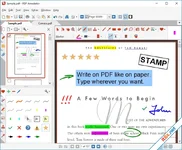
PDF Annotator
10.0.0.1009
Schoolhouse Test Professional Enterprise
6.1.168.0