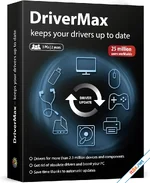
DriverMax is a comprehensive driver management solution that eliminates the frustration of manual hardware maintenance. Whether you are performing a clean Windows re-installation or simply want to squeeze every bit of performance out of your PC, DriverMax provides an automated bridge to the latest official drivers. By cataloging every device on your system from sound cards to rare network adapters it ensures your hardware is always running on the most stable and up-to-date software available.
The 5-Minute System Migration
One of DriverMax’s most powerful features is the **Import & Export Wizard**. Before you reinstall Windows, you can export all your current, working drivers into a single folder or a compressed ZIP archive. Once your new OS is ready, the Import Wizard can re-install every single driver in just 5 minutes. This eliminates the need to hunt for old installation CDs or search manufacturer websites for rare, legacy drivers. Everything you need is stored in one unified, portable source.Precise Driver Intelligence and Reporting
DriverMax doesn't just find drivers; it provides deep technical insights. The software generates detailed reports in TXT or HTM formats, listing driver versions, release dates, developers, and digital signature status. This transparency allows you to see exactly what is being installed on your system. Unlike bloatware-heavy manufacturer installers, DriverMax focuses on the "lean" driver itself, keeping your system fast by avoiding unnecessary diagnostic tools or unwanted multimedia applications.Automated Updates and Cloud Sync
Stay protected against system crashes and hardware conflicts with the **Automatic Update** feature. DriverMax scans your system and compares your current versions against its massive cloud database to identify more recent releases. By creating a free account, you gain access to a streamlined download queue that keeps your PC's "stuffing" up to date without the hassle of manual web searches.Key Feature Highlights
- Instant Driver Backup: Export all installed drivers to a folder or ZIP archive for safekeeping.
- Lightning-Fast Import: Restore your entire driver library in minutes after a Windows reset.
- Precision Version Tracking: View release dates, version numbers, and digital signatures.
- Cloud Database Access: Access the latest driver updates for millions of hardware devices.
- Detailed Hardware Reports: Generate HTM or TXT lists of every device and driver on your PC.
- Lightweight Performance: Installs only the necessary drivers, avoiding manufacturer bloatware.
- Wide Compatibility: Full support for Windows 11, 10, 8.1, 7, and legacy versions.
DriverMax: Giải Pháp Sao Lưu Và Cập Nhật Driver Siêu Tốc
DriverMax là công cụ hỗ trợ quản lý driver mạnh mẽ, giúp bạn tự động hóa quá trình tìm kiếm và cài đặt trình điều khiển cho máy tính. Thay vì phải lục tìm đĩa cài đặt cũ hay tìm kiếm thủ công trên mạng, DriverMax cho phép bạn sao lưu toàn bộ driver hiện có và cài đặt lại tất cả chỉ trong vòng 5 phút sau khi cài lại Windows. Đây là lựa chọn hoàn hảo để duy trì hiệu suất máy tính và đảm bảo phần cứng luôn hoạt động ổn định nhất trong năm 2026.Tính Năng Nổi Bật
- Sao Lưu Driver Thông Minh: Xuất tất cả driver đang hoạt động ra một thư mục hoặc tệp ZIP để dự phòng khi cài lại máy.
- Cài Đặt Lại Trong 5 Phút: Wizard nhập liệu thông minh giúp cài đặt toàn bộ driver từ bản sao lưu mà không cần kết nối internet hay dùng đĩa.
- Cập Nhật Driver Tự Động: Quét và phát hiện các phiên bản driver mới nhất từ cơ sở dữ liệu đám mây khổng lồ của DriverMax.
- Báo Cáo Chi Tiết: Hiển thị đầy đủ thông tin về phiên bản, ngày phát hành, nhà phát triển và chứng thực chữ ký số của từng driver.
- Loại Bỏ "Rác" Phần Mềm: Chỉ tập trung cài đặt driver cốt lõi, loại bỏ các ứng dụng kèm theo gây nặng máy từ nhà sản xuất.
- Hỗ Trợ Windows Toàn Diện: Tương thích hoàn hảo với Windows 11 và các phiên bản cũ hơn, hỗ trợ cả những thiết bị phần cứng hiếm gặp.
 Download: app.box.com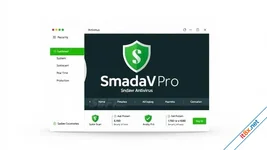
Smadav Pro 2026
v15.7
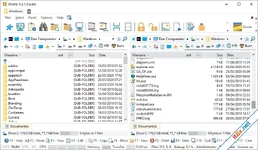
WinNc
11.4